Allscan v1.1 ANH85-M-RT85 & URI-101 USB radio interface review
I was looking for another Digirig a few months back. I’ve had one for a few years and was looking to add another one to put in my bug out kit. While scrolling through Ebay, something else caught my eye: Allscan URI-101. Little did I know just what would come from this random dopamine-seeking shopping trip.
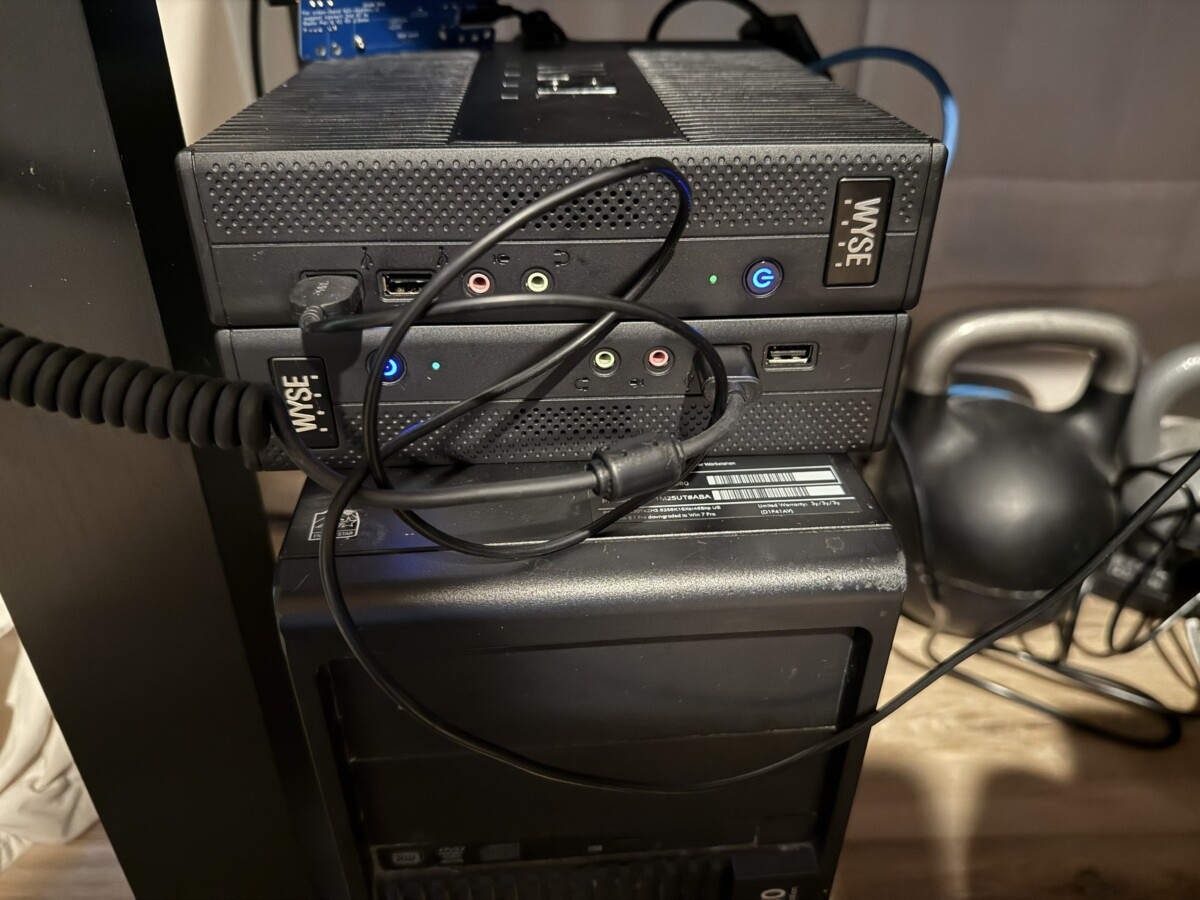
From what I can determine on the Allscan website, the two devices at the core are functionally the same so I’m going to spend most of this review on the ANH85-M-RT85. I’m using both devices and functionality and configuration is the same. Both devices allow an RF device (radio) to interface with a PC or Raspberry Pi via USB. They can be used for a variety of applications. I’ve used both of mine for Allstar (HamVoIP and ASL3), Echolink, and APRS (using the DigiPi image from KM6LYW) attached to either a RPi 3b or a Wyse 7010 thin client running Debian Bookworm.
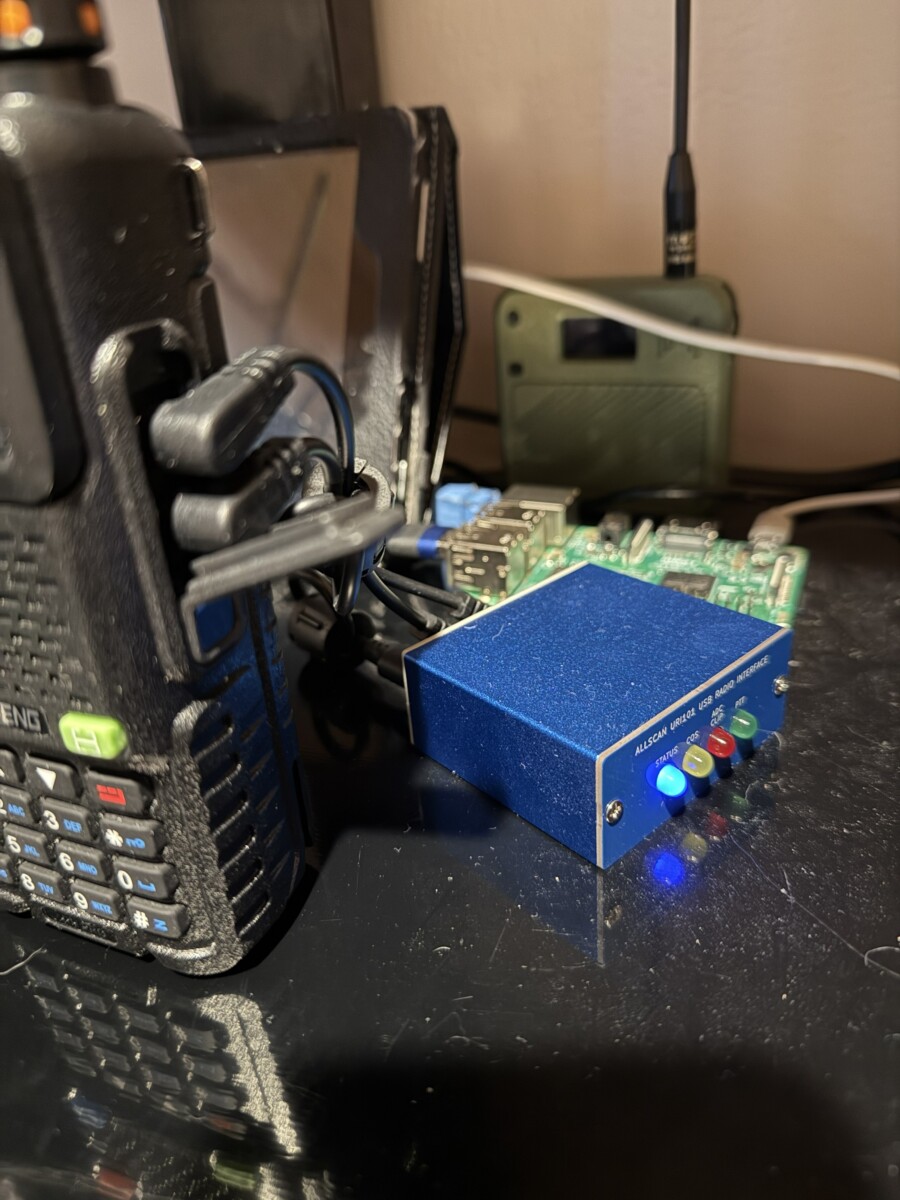
The URI-101 has a nice anodized metal case, LEDs, and no integrated radio. The URI in the configuration purchased is designed to use radios with K1 connectors (Baofeng, Retevis, etc.) though other interface options are available to accommodate a variety of popular radios. It does ship with the required connectivity cables for both the radio and USB to your computing device. Both the K1 and USB cables are good quality with significant torrids attached. Power to whatever radio you attach is separate from the device and up to the operator. I currently have a Baofeng UV5RH Pro attached to the URI, though I have had a variety of other CCRs connected to it. The only radio I had issues with functionality is the TiDRadio H3 Plus, which had erratic operation – specifically not releasing the PPT when it should – that I’ve determined is not the fault of the Allscan unit. The blame sits squarely on the TiD, which has been problematic across the spectrum form Day One. Fortunately, it has finally left this mortal plane. My only regret is letting it die a natural death instead of doing an Office Space-esque baseball bat party to it.
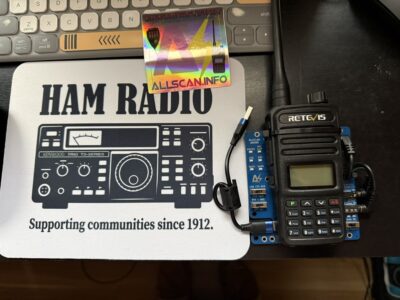
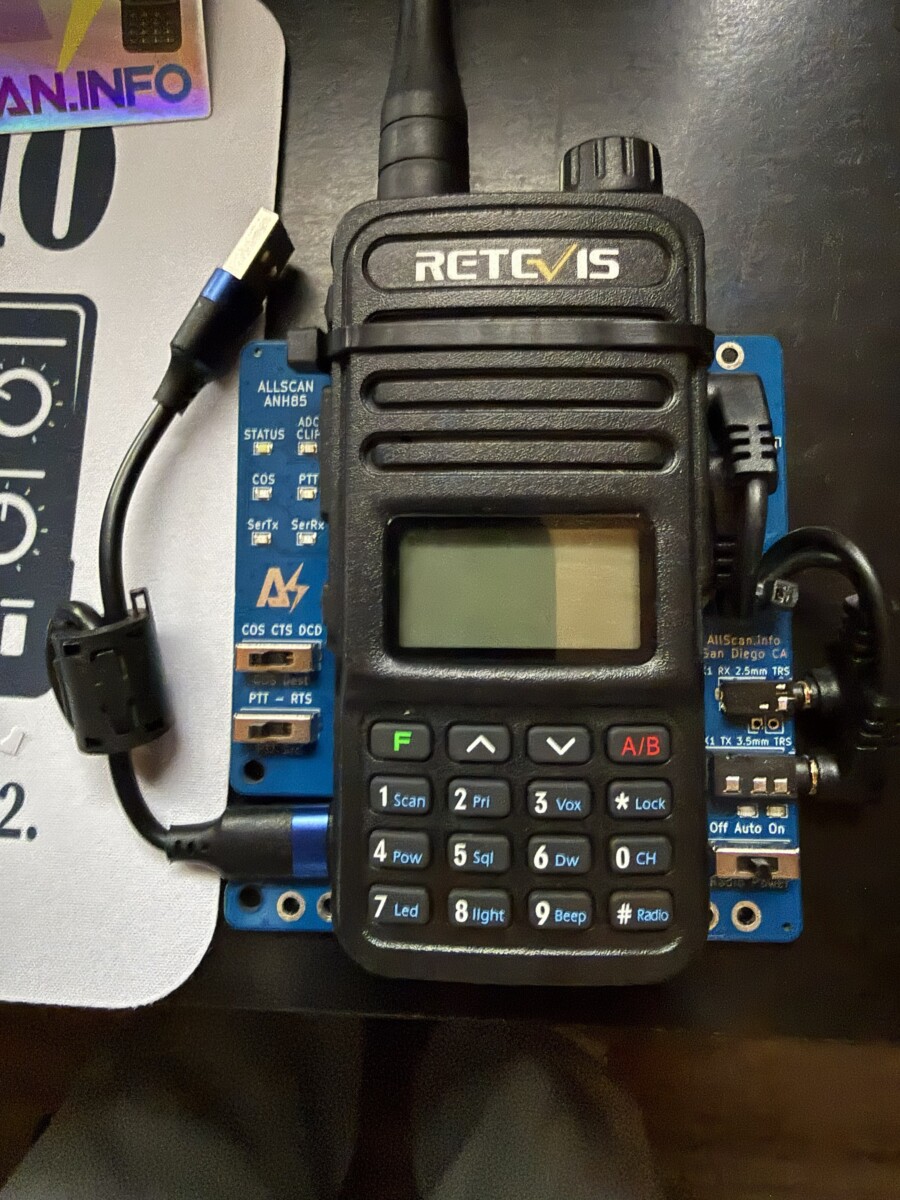
The ANH85-M-RT85 – probably not surprisingly – has an Retevis RT-85 integrated with the Allscan device. The ANH is available with a similar metal case as the URI, I chose not to purchase that model as I use this device static in my home. The RT-85 is solidly attached to the PCB with standoffs and a stout zip tie. I do not think the zip tie detracts from the device visually or functionally. The RT-85 receives its power from the board, no battery or separate DC input required.
If you are going to purchase one of these devices, I strongly recommend (and so does David of Allscan) you do so from the Allscan website and not the Ebay store. Because of the fees imposed by Ebay, the units cost more there. More important, you will miss out on the excellent communication from David. This communication is the difference between spending your time hunting for answers when the device arrives vs being up and running quickly. The direct method does involve sending an email to place your order. While initially this might sound inconvenient, bear with me while I explain why it isn’t. I decided to order the second device direct on a Saturday morning over a cup of caffeine (and what my wife calls “Breakfast Rice,” eggs, leftover Jasmine rice, avocado, diced cherry tomatoes, chili crisp, crumbled bacon, and a slice of sourdough toast, don’t knock it until you try it). After looking over the options which include several turnkey Wyse\Allscan, R Pi\Allscan configurations, and a nifty radio-less network setup, I priced out an RT-85 separately from Revetis and determined I could get the integrated system from Allscan for a few dollars more than the retail of just the radio. I sent an email off around 10:30AM stating my desire to purchase the ANH85-M. A few hours later I got my reply. On a Saturday. He (David) told me he had several different options in stock, ready to ship, with clear descriptions on the differences and costs (including shipping). I made my choice and sent off payment via PayPal. Within the hour I had a shipping confirmation with tracking as well as a very complete instructions on setting it up, usage, and the wonderfully surprising news that the radio would already be setup for the optimal configuration when it arrives.
That was 100% accurate. Not only was the frequency and offset for both VHF and UHF set, the recommended volume setting was clearly marked and set. This tells me the devices are tested before they are shipped out. The unit arrived in a few days and well packaged. When I opened up the box, I was struck with something that rarely happens when I get a new radio doodad: it was somehow aesthetically attractive. The PCB has clear, sharp stenciling with clear indication of what everything is that is important. The standoffs bright and shiny, the cables routed neatly. This oozes pride, passion, and craftsmanship.
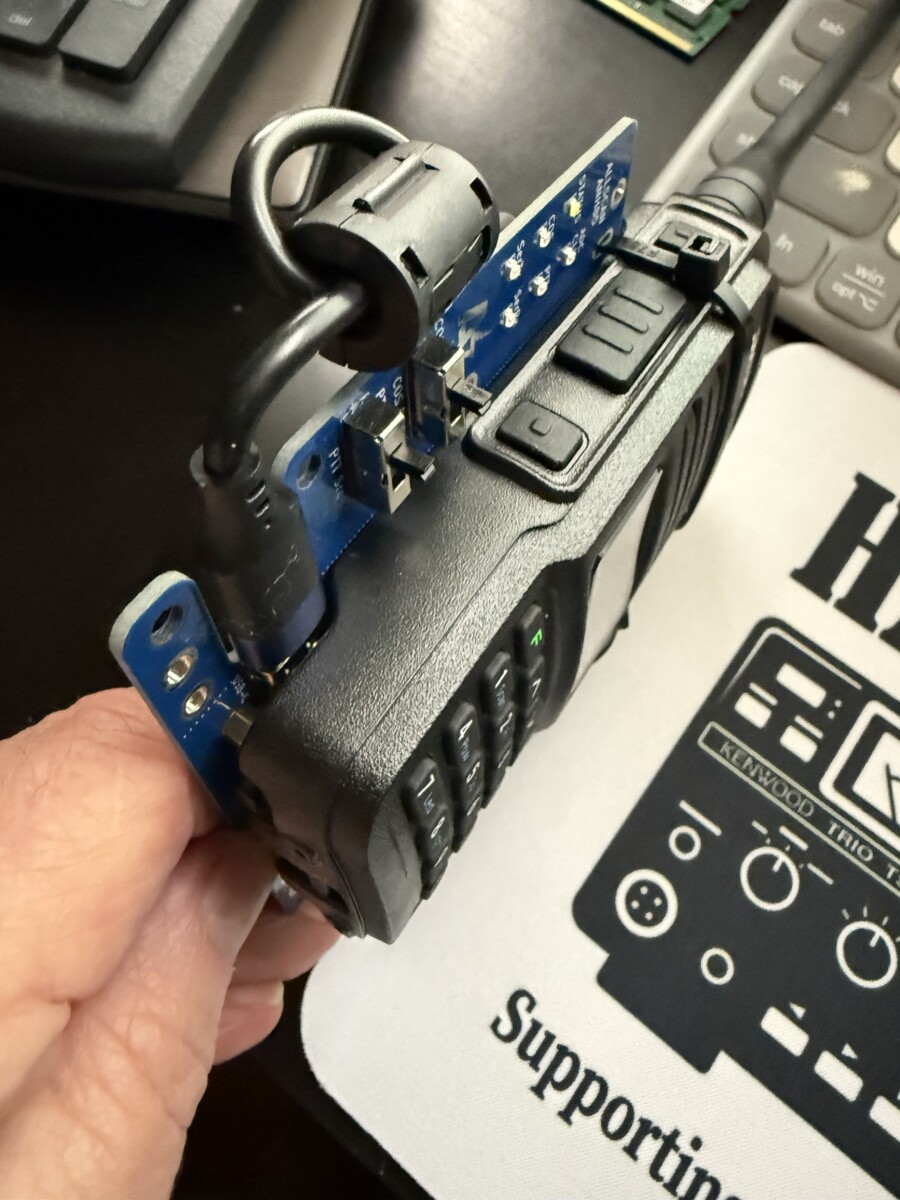
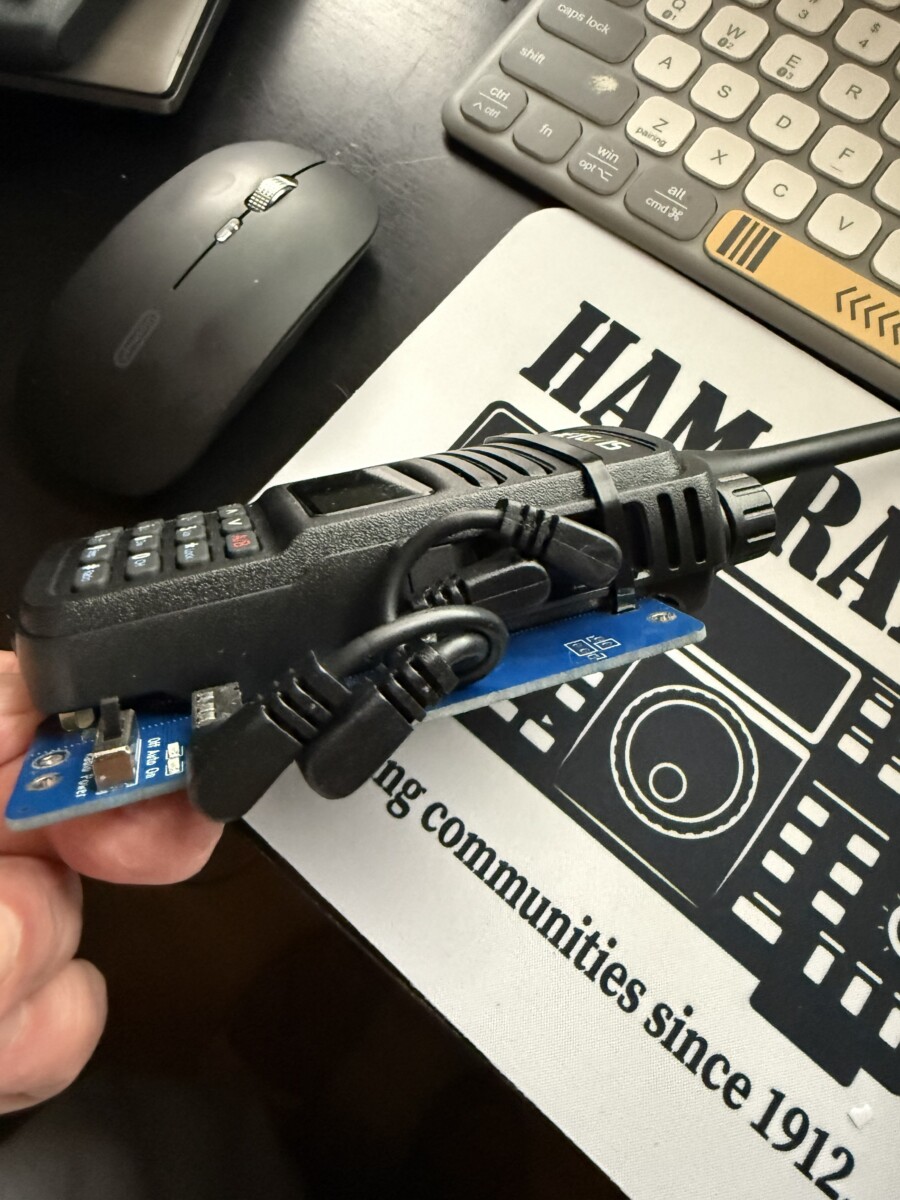
HamVoIP, Debian 12, 13 (Wyse\PC install), and the DigiPi image (also based off Debian 13) correctly identifies the device as a C-Media Electronics Inc. USB Audio Device full speed. ASL3 didn’t pick it up initially, but that is on ASL3, not Allscan, this is a common occurrence with ASL3 and USB devices from what I’ve read. A quick trip over to the forums will confirm this. If you are using this device with an Allstar node, make sure you follow the instructions here on the Allscan site for proper configuration. Additionally, the volume on the radio attached is critical. Make sure that if you get an integrated device that you confirm you haven’t bumped the knob during setup (I put a small dab of hot glue on mine after I had confirmed functionality). About 20% volume seems to be the sweet spot for most of my radios outside of the H3, which had a non-linear control, 20% volume in reality was about 45% of the travel of the knob. With the AHN-85, it was perfect out-of-the-box. I initially tested it on HamVoIP that was already working perfectly with the URI-101 without a hitch. I moved it over to one of my Wyse devices, did a clean install of the ASL appliance, and after making the rpt.conf and simpleusb.conf modifications outlined on the Allscan page, it too was working fine. I would also recommend installing the Allscan Allstar application to get the most of of your ASL node.
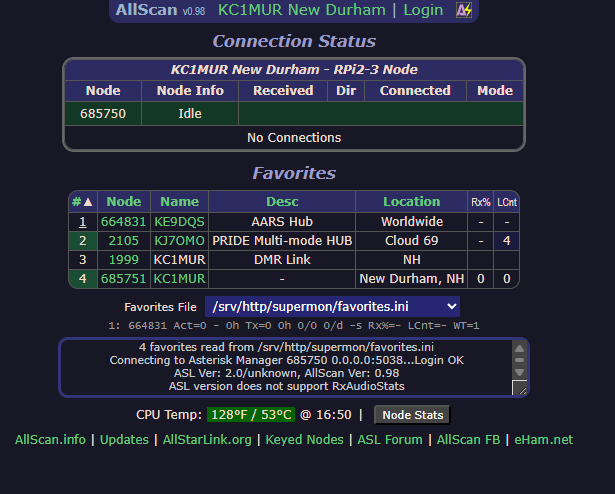
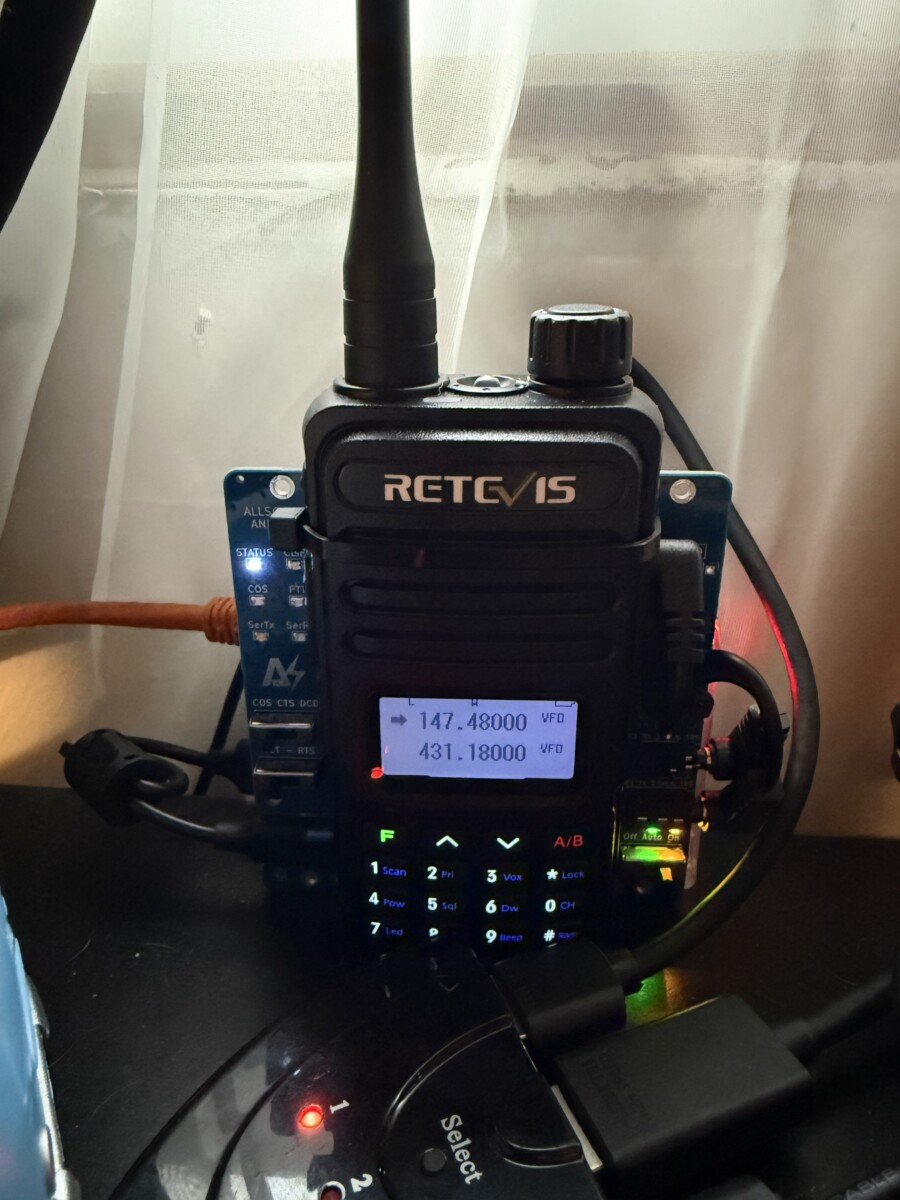
If I was to pick a nit, it would be on the supplied cable length. They work great if you are going to physically attach the Allstar device to your R Pi\Wyse and the radio (non-integrated Allscans) to keep things neat, tidy, and minimize interference on the USB cable. Not so much for situations where you want to have the radio not attached so you can easily swap radios around as well as makes it difficult to see the LEDs and the radio display at the same time from certain angles. At worst, this is a minor inconvenience that theoretically if you purchased proper shielded longer cables could be resolved, though you might run the risk of interference.
In closing, the two Allscan devices are the best purchases I’ve made in the hobby that are not stand-alone radios. If they fit in your budget, they eliminate the maddening work of interfacing a radio to Allstar and Echolink, with the added bonus of working very well with other modes like APRS, Winlink, AX.25, etc. David also runs a Facebook group to support his products.
Scott – KC1MUR

Author: Scott - KC1MUR
General class operator
No responses yet